
Enable Teams Calling
Extension Actions
CRX ID
ifgnnjhhfdpjpjokajkolhioakajhidc
Description from extension meta
Enable teams calling
Image from store
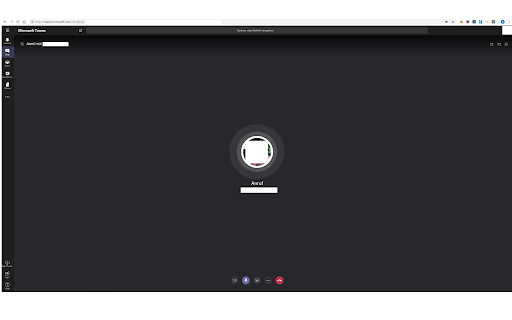
Description from store
Enables calling function for MS Teams.
It should now also enable video calls one to one
Latest reviews
- Jill Reinert
- it stinks it is not good
- Rob Easton
- Did not work on PC Nov 18 2022.
- Rob Easton
- Did not work on PC Nov 18 2022.
- Zachary Snyder
- Literally doesn't do anything.
- Zachary Snyder
- Literally doesn't do anything.
- Reid Tattersall
- Is this supposed to work on Mac? When clicking on a number, all I see is FaceTime or add an either my android phone.
- Reid Tattersall
- Is this supposed to work on Mac? When clicking on a number, all I see is FaceTime or add an either my android phone.
- FLávio Martins
- nop.
- David Cheng
- This don't even work. I am on MacOS using the latest chrome. When clicking on a number, all I see is either my android phone or facetime. There is no option for me to select teams?
- David Cheng
- This don't even work. I am on MacOS using the latest chrome. When clicking on a number, all I see is either my android phone or facetime. There is no option for me to select teams?
- Gavin Randles
- Can somebody help me because I'm on ASUS and I cant seem to work it out. Thank you.
- Gavin Randles
- Can somebody help me because I'm on ASUS and I cant seem to work it out. Thank you.
- Prem Kumar
- thanks for creating this extension
- Prem Kumar
- thanks for creating this extension
- Toan Nguyen
- It's great because Teams can support audio and video in Web ^_^
- Toan Nguyen
- It's great because Teams can support audio and video in Web ^_^
- David Piper
- Works brilliantly in Chrome OS 76. One less reason to go back to my windows laptop. Hoorah. Even supports 1:1 person calling.
- David Piper
- Works brilliantly in Chrome OS 76. One less reason to go back to my windows laptop. Hoorah. Even supports 1:1 person calling.
- Travis Sharpe
- Thank you for not just creating this but also releasing it to the public. This is currently working flawlessly (audio + video) on my Pixelbook. I don't have to carry around a Windows laptop with me just to do Teams video calls anymore and I really can't thank you enough!
- Travis Sharpe
- Thank you for not just creating this but also releasing it to the public. This is currently working flawlessly (audio + video) on my Pixelbook. I don't have to carry around a Windows laptop with me just to do Teams video calls anymore and I really can't thank you enough!
- Виталий Федоров
- Hello! Awesome and thank you much! You told that enable call by doing this: angular.element(document).injector().get('callingSupportService').oneOnOneCallingEnabled = true angular.element(document).injector().get('settingsService').appConfig.enableCallingChromeOneOnOne = true But how did you enable video calls and sharing?
- Виталий Федоров
- Hello! Awesome and thank you much! You told that enable call by doing this: angular.element(document).injector().get('callingSupportService').oneOnOneCallingEnabled = true angular.element(document).injector().get('settingsService').appConfig.enableCallingChromeOneOnOne = true But how did you enable video calls and sharing?
- Aliaksandr Tryhubau
- Calls now working on Linux
- Aliaksandr Tryhubau
- Calls now working on Linux
- Robin Lowe
- Works great in Elementary OS 5.0 Juno. Thank you!
- Robin Lowe
- Works great in Elementary OS 5.0 Juno. Thank you!
- Glany Saldanha
- Thank you for creating this extension. Microsoft Teams developers/QA should learn something from you.
- Glany Saldanha
- Thank you for creating this extension. Microsoft Teams developers/QA should learn something from you.
- Simone De Cristofaro
- Really thank you
- Simone De Cristofaro
- Really thank you
- Aveem Ashfaq
- It works for me on Linux. Way better than the official crappy extension that does nothing
- Aveem Ashfaq
- It works for me on Linux. Way better than the official crappy extension that does nothing
- TuneboyR
- well. It just works. Love it
- TuneboyR
- well. It just works. Love it
- J W
- Was fine until new permissions appeared. This gives waay to much power to the extension owner so removed. Just because some blahblah use asked for it you automatically add permissions for https://login.microsoftonline.com ? This smells like a room opened for malicious behaviour in the future. I would encourage everyone not to use this extension for this very reason.
- Blah Blahs
- Works well, but can you add "https://login.microsoftonline.com" to the "Automatically allow access on the following sites" section in the extension settings? Reason I ask this is because we're trying to use Teams with Citrix Browser Content Redirection. Once Citrix BCR is configured and working for Teams (web version), the URL will be set to https://login.microsoftonline.com, which means the inject.js doesn't kick in because the extension doesn't automatically load for https://login.microsoftonline.com.
- Blah Blahs
- Works well, but can you add "https://login.microsoftonline.com" to the "Automatically allow access on the following sites" section in the extension settings? Reason I ask this is because we're trying to use Teams with Citrix Browser Content Redirection. Once Citrix BCR is configured and working for Teams (web version), the URL will be set to https://login.microsoftonline.com, which means the inject.js doesn't kick in because the extension doesn't automatically load for https://login.microsoftonline.com.
- JW Hu
- So amazing, it works in Microsoft Teams web! Waiting for the official extension!
- JW Hu
- So amazing, it works in Microsoft Teams web! Waiting for the official extension!
- Dariusz Sierakowski
- Software necessary in the Linux system. It works very well.
- Dariusz Sierakowski
- Software necessary in the Linux system. It works very well.
- Thomas S
- Thanks, it just works :-) for audio calls
- Thomas S
- Thanks, it just works :-) for audio calls
- Anonymous
- My hero :-)
- Anonymous
- My hero :-)