Spatial Navigation
Extension Actions
CRX ID
gogippjaikoijhcdcioeajgpmlmchkba
Description from extension meta
Smart spatial navigation with key map to links. Bind WASDE and Q keys.
Image from store
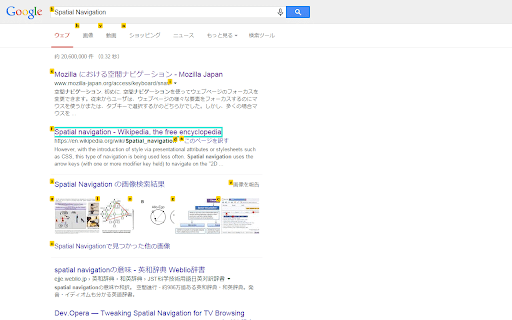
Description from store
wasd: Four-way navigation.
e/E: Map keys or change targets.
WS: Index only.
AD: Reverse.
q: Quit.
Enter: Click with shift key.
Shift+Enter: Click.
Latest reviews
- Stian Lund
- Seems to work pretty good! It would be good if we could change Enter to be standard behaviour instead of opening tab in background. Not everyone likes this. No need to override browser Enter at all, just let user have WASD/QE Thanks!
- Stian Lund
- Seems to work pretty good! It would be good if we could change Enter to be standard behaviour instead of opening tab in background. Not everyone likes this. No need to override browser Enter at all, just let user have WASD/QE Thanks!
- 石橋真
- Amazing!!!!!!!!!!!
- 石橋真
- Amazing!!!!!!!!!!!