
Read Aloud: Bir Metni Sesli Okuyucu
Extension Actions
- Extension status: Featured
- Live on Store
Geçerli web sayfası makalesini tek bir tıklatmayla, metin okuma (TTS) kullanarak yüksek sesle okuyun. 40'tan fazla dili destekler.
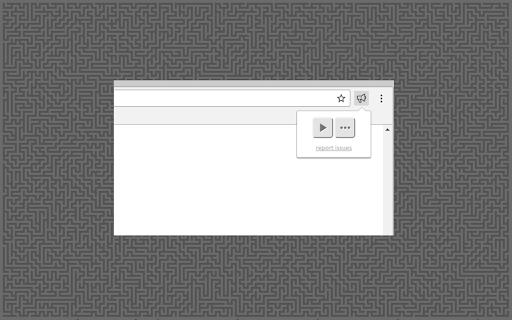
Read Aloud, web sayfası metnini sese dönüştürmek için metinden sese (TTS) teknolojisini kullanır. Haber siteleri, bloglar, hayran kurguları, yayınlar, ders kitapları, okul ve ders materyalleri dahil olmak üzere çeşitli web sitelerinde çalışır. Read Aloud, okumayı öğrenen çocuklar ve disleksi veya diğer öğrenme güçlükleri olanlar dahil olmak üzere okumak yerine içerik dinlemeyi tercih eden kullanıcılara yardımcı olur.
Read Aloud, tarayıcı tarafından sağlanan yerel sesler ve Google Wavenet, Amazon Polly, IBM Watson, Microsoft Azure ve OpenAI gibi bulut sağlayıcılarından gelen AI sesleri dahil olmak üzere çeşitli metinden sese sesler arasından seçim yapmanızı sağlar. Bulut tabanlı sesler, etkinleştirmek için ek uygulama içi satın alma veya kendi API anahtarınızı getirmenizi gerektirebilir.
Read Aloud, PDF, Google Docs, Google Play kitapları, Amazon Kindle ve EPUB'ı (epubread.com'dan mükemmel EPUBReader uzantısı aracılığıyla) okuyabilir.
Read Aloud'u kullanmak için, okumak istediğiniz web sayfasına gidin, ardından tarayıcı menüsünde Read Aloud simgesine tıklayın. Ayrıca, uzantıyı etkinleştirmek için ALT-P, ALT-O, ALT-Virgül ve ALT-Nokta kısayol tuşlarını da kullanabilirsiniz. Bir miktar metin seçilirse, Read Aloud yalnızca seçili metni okur. Ayrıca, metin seçimine sağ tıklayıp bağlam menüsünden Read Aloud'u başlatabilirsiniz.
Sesi, okuma hızını, perdeyi değiştirmek veya metin vurgulamayı etkinleştirmek için, uzantı açılır penceresindeki Dişli düğmesi aracılığıyla Seçenekler sayfasına gidin (Dişli düğmesini görmek için oynatmayı durdurmanız gerekir). Ayrıca, uzantı simgesine sağ tıklayarak bağlam menüsünden Seçenekler sayfasına erişebilirsiniz.
Uzantı açılır penceresinde, açılır pencerenin boyutunu, yazı tipi boyutunu artırmak/azaltmak ve koyu modu değiştirmek için düğmeler bulunur.
Read Aloud açık kaynaklı bir projedir. Hata düzeltmeleri veya çeviriler katkıda bulunmak isterseniz, lütfen https://github.com/ken107/read-aloud adresindeki GitHub sayfasını ziyaret edin.
Latest reviews
- Rafael Santos Fernandes
- Great!
- Polsci 1st year - Quiroga, Joryl Sean M.
- this one is great. as someone who is always busy but also lazy, having my entertainment and work occur at the same time, although sometimes messes with my focus and causes me to spend more time, allows me to be active non stop-basically all day. so this extension is truly welcomed, especially its feature of not needing me to specify which texts to read in a tab and lets me skips sentences to quickly get to a certain point, those are my first time seeing them in the same extension, its awesome just how it has everything i ever want in a convert text to speech extension (mostly the former). i almost feel guilty using it for free, so i left this review here.
- customer service BO5 41O 5OO3 Jeera
- Reads articles smoothly with natural-sounding voices.
- Foo Clark
- I tried several readers, and this is by far the best. Hate the "natural voices" on all readers, which is good for this one as their default is among the few that work at 2x speed. Until last week or so it was worth a shining 5 star review, which I had been procrastinating on. Inexplicably, it recently started reading "dot" and "comma" which I very much do not care for and cannot find a way to remove from playback. Would love that to go back to being short pauses, but the settings menu is lacking any such toggles.
- Rebok Fleetfoot
- it works, it's open source, it has no ads or unwanted functionality, what is not to like?
- anime god
- Yah seriously it's not reading the smaller sentences Hope you guys can fix it. I am using the website (wtr-lab.com) to read novel
- WOLFRV
- Please fix not selecting smaller sentences in web pages issue..I used this for so long now i cant get used to a new voice😢😢 It usually did that on some websites before but now more websites are not selecting smaller sentences and skips over to large paragraphs..(I use this on android phone kiwi browser . In pc I can manually select all the text) And does this work on safari?
- Tien Nguyen Van
- great tools.
- Jessica Watters
- Whenever I have to read a paper for college, I have this read it aloud to me and I follow along with it, helps me stay focused. It's not a perfect extension, but it does what it says it does.
- Hiep Pham
- This can read for me!
- Bibiana Hernandez
- Does not work. When I hit play it scrolls all the way to the end and it reads the last 2 sentences. Does not start from the beginning. Upon hitting play, it glitches and automatically scrolls all the way to the bottom.
- 성원
- doesn't support hebrew
- 小邱
- It would be even better if there were a download function。
- Tatiana Caminos
- love this so much! voice speed, volume, voice, and pitch are adjustable. now, this only works for main texts and hasn't shown to read side texts like the little "table of contents" box that sits on the top of your screen. but since that is not what I need it for, it works better than any other site I've used as it doesn't require a subscription to use its full features!
- William
- Works great for my uses and has a Google Docs plugin!
- Perfumed Penguin
- I like this extension. I've used it for years. I really enjoyed their use of localized voices that didn't rely on AI. Nowadays, however, any time I want to use the extension, I have to give it extra permissions-- this didn't used to be the case. Once I give it permission (to use google voices), the extension works for the rest of my session, in-browser. Unfortunately, every time I close out of the browser, I have to do it all over again.
- PAUL MAC
- Ms. AI, do you have any questions for me? You told your company that your Read Aloud has bugs and I need to remove and reinstall it to speak Cantonese. One of them is troubleshooting.
- Joziah2
- Doesn't work. Requires paid google voice for those options and using the generic read aloud voice doesn't work with 'Unrecognized Language En' Trying elsewhere.
- Leticia Aderhold
- worked good for about a week and now won't work at all
- Jakub
- Not bad, but it's bothersome to constantly switch languages manually. I wish there were preferred voices settings for each language. Currently you can only pick full auto (which picks not the best voices), or single manual voice. So every time I'm running text-to-speech in a different language, I have to manually pick the right voice.
- Dani Plum
- It's kinda janky sometimes like if I close the little menu when its reading it continues reading but stops when I open it again. The voices are robotic but you can change them if you look into the settings. Overall it's not that bad and you can def just ignore the faults and get through with using it.
- Himanshu Saha
- Have eased my pain a ton.
- Luke K
- Works very well, I like to use the MacOS English United States Samantha Voice.
- Sam Jones (Emulas)
- Works well enough and does nearly exactly what I want it to do. Contains volume and speed controls to modulate for comprehension speed. Stutters slightly at the end of each line. Would also be nice if the speed cap were increased.
- Aimee Harvey
- It's free, it works, and I don't have to wait for the time to be able to use it again.
- GT PC
- Good extension. It does what it is supposed to do but, IMHO, has a huge improvement opportunity. When a line ends without a period, for example, on a title or in bullet points, the reader continues reading the next line as if it were part of the previous one.
- Cam B
- Default robot voices works for swedish. Absolutely nothing else works. It just hangs. Edge already supports the robot voice, so this app literally serves no purpose except to waste your time with the hope of getting additional voice support only to instead waste your time.
- Miles Roberts (Mylo9000)
- I've been using this extension for years and its even better when using Piper voices. If there was one feature i would add, it would be a pronunciation editor. Sometimes, no matter what voice you choose, it gets tripped up on some words and pronounces them very wrong. I would love to be able to set up a rule to replace chosen words with an alternative so it would at least sound correct. Other than that, I totally recommend this extension for anyone and everyone. Especially those that are like me and will always take the free option. Especially if its open-source.
- Ayla Stone
- It helps with lessons so I can read with it and hear it at the same time.
- Chris Combe
- works well, good controls and compatability with voice enginers including API keys for providers, also works well with google play books and much more! I wish there was a mobile version of this plugin too.
- Rafael D
- I really like this extension, it's very useful to me. Since presenting Supertonic voices, I install them but every time I close chrome I get Microsoft Zira's default voice and Supertonic is uninstalled.
- Sophia Murphy
- Help needed! Major bug! NOTE: I did fix this by holding control and changing the page size with my scroll wheel. I'm shocked I thought of it even, but I use that functionality fairly regularly so most won't think of it at all and you needed to know about it asap as it renders the main function of the app inaccessible. I've been using the app for over a year and this is my first run in with it. BUG: When I click on options and the pop-up appears, the text that says 'Account logout' at the top doesn't know wether to put the word 'logout' on the same line or the line below it and so the pop-up is resizing itself at (i checked to give you an accurate number) 240bpm or 4 times a second, making it unusable. I can click on drop down boxes for example but they instantly disappear again. Luckily I already have a fantastic voice (piper alba medium) picked but you needed to know, because the app is superb. Its made a huge difference to me as someone with adhd to help me 'read' stuff I need to have read for deadlines that otherwise, my adhd can make literally impossible at times so thank you. Review: A friend asked me to design their novel cover and interiors and so I need to read the book, but on my own that is simply never going to happen. Not without Read Aloud! :D I know you didn't record the voices, but as a scottish woman, I really appreciate how diverse the voices are, that I could find a voice that was so familiar to me and thus makes it so much easier for me to listen for extended periods of time. Otherwise, again with adhd, can be such a barrier that I never come back to a particular task. That kind of accessibility is life changing for someone like me so thank you. Have a great week!
- Charlie A
- I can't believe I found something that runs so well and I don't have to pay an exorbitant amount for. I initially downloaded this to help my adhd brain read about my hobbies but it's definitely going to be a huge help for classes and work too.
- Armando Vega
- It's really bad. It struggles to open and work. It is SO slow an un-responsive.
- Burns
- This is a really nice extension, it's got lots of voices which is nice.
- Christina Little
- how do you pause the voice?
- varun vaibhav tiwari
- works well
- Thushar Manoj 25BAI1418
- works like a charm even in difficult wordings
- Isabella Truman
- I have used this extension for four or five years now, and it is such a lifesaver! it works on websites, pdfs, etc., you can change the voice, change the speed, pause it, stop it, skip ahead on content, go back to content you may have missed. it's completely free, yet works better and has more options than any other text-to-speech service or extension i've ever found. genuinely i don't know what i would do w/o this extension, it's the only way i got thru undergrad reading, and it's now the only way i'm getting thru law school reading. i'm so grateful!!
- Wizards are Cool
- the text to speech is jarring and for some reason I cant change the voice, but other than that, it works.
- Raja Kumail Ali Nasir
- pdf reader isnt working
- Tim Pritchard
- So good for a free extension. Great selection of voices, too
- Lâm Trần
- I'm happy with this reader, but please add options to adjust the reading speed and voice pitch.
- Rory
- It reads stuff marked with aria-hidden and skips over plain text not marked as hidden.
- Christy Gilbert
- The only bad thing about this is that the voices are too robotic and not very human. When these guys are reading a story back to me I would like to hear the human in their voices as well as emotion.
- Mark
- Worked fine in Win 10. Switched to Win 11 and now it consistently skips the first few words of each paragraph. Tried it in several browsers and it performed the same... skipping the first few words. Pretty much unusable for me now. Looking for other alternatives.
- Ashish Alexander
- Cons: cannot read from different part of the big group of text, like other extensions can Pros: can use Edge natural voices
- Robert van Rees
- I use Read Aloud to proof read texts in multiple languages. Combining the strength of the written words and the FREE voices to hear if I made mistakes that were not caught by the spellchecker. I use it predominantly on Grammerly web app. But it also helps read any other website. It's best asset is that Read Aloud lets you add FREE voices, as well as the usual Microsoft, Amazon, and Google voices in many languages.
- Robert McCurdy
- SuperTonic F5 its faster then kokoro TTS!
- Francis Rokicki
- so good! a tip u should use is to highlight the text u wanna read instead of relying on it auto read to read the whole page becuase sometimes that can be unreliable.