
Keeper® Gestione password e Cassetta di sicurezza digitale
Extension Actions
- Live on Store
Genera password complesse, compila in automatico e proteggi le tue informazioni riservate con la crittografia zero-knowledge.
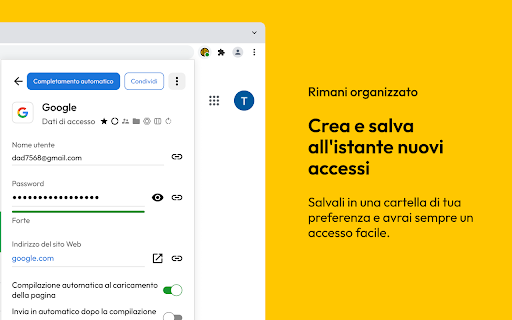
Il Gestore di password Keeper mantiene sicure le tue password e i tuoi dati. Utilizza il nostro generatore di password sicure, memorizza le chiavi d’accesso e i codici 2FA e compila automaticamente le tue password. Keeper è l’affermato leader della sicurezza informatica che protegge milioni di persone e oltre 100.000 aziende in tutto il mondo.
Il Gestore di password Keeper ti consente di creare password e passphrase forti e casuali con il suo generatore di password integrato, di metterle al sicuro in una cassaforte digitale crittografata che puoi aprire su qualsiasi dispositivo e di compilare automaticamente o condividere in sicurezza le credenziali su tutti i tuoi siti e app. Salva e sincronizza le chiavi di accesso e i codici 2FA direttamente all’interno di Keeper per accedere ovunque ti trovi con un solo tocco. La crittografia AES-256 zero-knowledge protegge ogni password e dato sensibile da violazioni, ransomware e altri attacchi informatici.
Il Gestore di password Keeper archivia un numero illimitato di password, chiavi di accesso, codici 2FA, file e carte di pagamento in una cassaforte digitale crittografata AES–256 zero-knowledge che si sincronizza con ogni telefono, tablet e computer che utilizzi. Sblocca istantaneamente la tua cassaforte con impronte digitali o face ID, poi compila automaticamente o condividi in modo sicuro le voci con altri utenti di Keeper, oppure invia un link “One-Time Share” a familiari, amici o colleghi che non hanno l’app.
L’app Keeper supporta l’autenticazione a due fattori (2FA) nella tua cassaforte, oltre a memorizzare e proteggere i codici TOTP per la compilazione automatica dei codici a due fattori in altri siti web e app. Utilizza chiavi di sicurezza come YubiKey NFC per proteggere la tua cassaforte utilizzando il massimo livello di protezione MFA e 2FA.
Keeper si basa su un’architettura di sicurezza zero-knowledge e zero-trust, per cui tutti i tuoi dati sono completamente criptati e accessibili solo da te.
Il gestore di password più sicuro al mondo
• La sicurezza zero-knowledge brevettata di Keeper garantisce che la tua cassaforte Keeper e tutti i dati in essa contenuti siano completamente crittografati
• Supporta metodi di autenticazione a due fattori come Google Authenticator, Microsoft Authenticator, Duo, RSA, YubiKey e altri
• Utilizza la crittografia AES-256-bit, la tecnologia a curva ellittica e PBKDF2
• Certificato SOC-2, ISO 27001, ISO 27017 e ISO 20718
• Autorizzazione FedRAMP e StateRAMP
Il Gestore di password Keeper supporta i seguenti tipi di voci.
• Credenziali di accesso e password
• Carte di pagamento e carte di credito
• Indirizzo
• Conto bancario
• File e note sicuri
• Foto
• Patenti di guida e carte d’identità
• Certificato di nascita
• Credenziali del database
• Server
• Abbonamento
• Passaporto
• Licenza software
• Chiave SSH
Scopri di più sulla nostra sicurezza all’indirizzo: https://keepersecurity.com/security
Latest reviews
- David Bruck
- Works alright in my testing. Supports YubiKey and one fallback SMS phone number, but why not two phone numbers?
- Atif Qureshi
- If you rely on Keeper Password Manager and suddenly need to log in during an emergency, it can become a serious blocker. Especially when you're used to biometric authentication (like fingerprint) and don’t remember your master password, the situation quickly escalates, you’re forced to stop real work and focus entirely on recovering access. What makes it worse is that even on the same device you’ve been using daily for a year, enabling a VPN can cause Keeper to stop recognizing the device altogether. Instead of a clear diagnostic message, the browser extension either fails silently, shows a generic login failure, or doesn’t load properly at all. This creates a poor failure mode: no actionable error, no fallback guidance, and high operational friction exactly when access is critical.
- Pamela Valentine
- I've been a paid user for three years, and while the first year was great, the performance has unfortunately declined. I stayed longer than intended because I missed the renewal window, but the frequent connection drops have made it hard to justify the cost, especially when free browser alternatives feel more stable. I’d love to see the software become more robust, but for now, I’m moving on
- Jon Mays
- This is a dream for all of my neurodivergent friends!
- May Sagat
- As a new user, I’ve just started testing it out and so far it works great.
- Casey York
- Just started testing it out, so far its works great. Also supports is quick! I submitted an autofill issue within minutes they responded saying they made an adjustment for the page and worked the next time in.
- Lucas Heffner
- Our IT department foisted this terrible app on us to replace our chrome password management. Its honestly the worst piece of software I have ever used. Slow clunky and constantly asks for logins, which literally defeats the entire point.
- Marcelino Chua
- I've been using Keeper for several years and have been happy with it. Recently, an update messed up the way the auto-fill interacted with the login fields of a website I frequently used. I submitted a ticket with the "Report an Autofill Issue" in the keeper extension. I got a response within a day and over the period of a couple of days, their devs solved the issue! Very happy with the support I got in this instance.
- Brian Joudrey
- I've been using Keeper for a while now, both personally and for our IT managed services clients. There are always nuances to individual password managers, but Keeper has been the most successful of the ones that we've tried. I had a recent interaction with their support when an autofill was doing something that it shouldn't have been, and not only did they get back to me in under 2 hours - the issue was resolved first shot without any further information from my end. That level of support is a rarity these days and bolsters my confidence in continuing to leverage their tools. Great job!
- Diana DeGroff
- Great and quick. Thank you!!
- renee1
- Tried this at work and now using it at home I feel safer now for my personal logins
- A
- I chose your app with one main goal in mind, to have a convenient and reliable password manager. I already submitted a bug report regarding the iOS crash and shared detailed issues, but the overall experience has been frustrating. I cannot easily find passwords, there's no proper search by domain, and there are no suggestions for frequently used email addresses. These are basic features for a password manager. I tried 1Password and decided to switch the same day because the experience was significantly smoother and more intuitive. Unfortunately, the poor customer support experience is another major reason I will not be returning to Keeper. I hope you take this feedback seriously and improve the product.
- Sharon Portela
- I've used the paid version of this app for years, and it is amazing. I love that I only have to remember one password, and that it does all the work. Highly recommend!
- Henry Han
- Password manager chosen by IT for my megacorp workplace and unlike a lot of corporate apps, a joy to use. Enough so I linked a personal account (for free) and use for my personal passwords as well.
- Ian Harper
- Made the right choice, keeper subscriber for several years
- Yash Mehta
- The extension is all right, but it's absolutely impossible to actually go ahead and cancel the subscription. It just keeps auto-renewing year after year!!!
- Titus Overmyer
- Great Password Extension. It does take some configuration to make it work like expected.
- Lauren Brown
- Great tool with lots of useful features. When my autosubmission feature failed for a particular site I use often, the customer support by Travis was excellent and resolved it for me.
- Drew
- For the most part, the extension works great. More importantly, when they have issue and you report them, they are highly responsive!
- Matt Very
- Edit: the extension stopped working for me about a week ago. Restarting and updating browser (Brave) and computer didn't fix it. I removed the extension, restarted browser, and re-added the extension: worked like a charm! Back to this great service! Keeper has an amazing extension. It does its job really well. It's unobtrusive and extremely helpful.
- Wild Tigerrr
- Just works, always reliable for many years
- Tyler Chong
- Just works. Great service.
- Ryan Ahrens (Green Ocean Global)
- Love keeper, it has been a significant upgrade to our credential management and password management for my team.
- Kyle Jacobson
- I could not live without my Keeper. Any and all websites you need a password for you will always have a way to have an secure place to find it no matter where you are. If you care about password protection look no further.
- Sara Gregg
- Keeper is easy to use and a great place to keep all of our login and account information secure and in one space. It gives our family peace of mind that anybody could step into the household management role if needed.
- Lisa Snyder
- Keeper is the most productive digital tool in my toolkit. It works across all platforms and devices, anywhere, anytime. And the support is top notch. I recommend Keeper on a regular basis to collegues, friends and family.
- Moli LA
- If you are a PRO, you need this tool, is not free, but it worth every Penney.
- Aadron
- Absolutely love Keeper Password. I have used this application for years, and despite having other password methods, I choose Keeper, as it works across applications and improves my safety and productivity
- Jamie Nicholas
- This is the best thing ever. I can access from any computer or phone and I don't have to memorize a million passwords! Absolutly worth the money
- David Safley
- Top pick in our software stack - UI/UX intuitive / Love it
- John Lopez
- i use it for my company
- Orly Zeewy
- Love it and use it almost daily. It's great to know that my passwords are secure and easy to access.
- Dale
- love it
- Anonymous
- love it :)
- Anonymous
- love it
- Anonymous
- Love this program. My passwords are disgusting but it doesn't matter as Keeper deals with them all. I feel safe and secure online and if one site gets hacked and they get my password it doesn't matter as all my passwords are different. Changing passwords is easy. I will admit that I struggle a bit using it on my phone but I think that is me, not Keeper! I have a family plan and my kids are using it too. Beats my recipe card box full of usernames and passwords........
- Anonymous
- The best of the best. A year or two ago I was told the product would be enhanced to allow one to grab credit card details, exactly the same way as usernames and passwords, was about to be fixed. That has not happened yet and we continue to use the old way - copy and paste. Outside of this, the product is easy to use and puts the competition to shame.
- Anonymous
- I didn't know how desperately I needed this until after I had it. I have saved SO much time and frustration by keeping everything organized under this one vault. I tell everyone how amazing it is and trustworthy.
- Anonymous
- Been using this password keeper for years! It is very secure, easy to use and worth the price!
- Anonymous
- After the latest update the extension doesn't recognize the physical security key for 2FA. Accessing the web vault through website still recognizes the 2FA physical key however the timeout setting set in the extension doesn't work since login in directly through website doesn't sign into the extension
- Anonymous
- Easy to use and feel safe.
- Anonymous
- Migrated from a different password manager, the free trial was good and of course I expected less features but not THAT little, I basically cannot do anything without the subscription, which is impossible to buy due to country restrictions, it's just a password viewer now, that I cant do anything about, edit or add, nothing. Passkeys was a cool feature.
- Anonymous
- Amazing Product - I use it on all my devices
- Anonymous
- Absolutely in love with Keeper. I can't believe I didn't know about it before. Now I can't live without it. Tracks passwords, documents, information, works as a passkey... AMAZING!
- Anonymous
- Keeper is great!
- Anonymous
- I am using this since I found it at work - really coming in handy for both work and personal. I like that this is popular for both business and home use.
- Anonymous
- Ver buggy. Can't paste from custom field. Changing password is tricky. Just stick to web or desktop app.
- Anonymous
- I've used Keeper for years at home and at work. While there is an occasional app or website that doesn't work well with them, I just learned that they have added a report autofill option. In a browser, it takes a screenshot and the browser information and allows you to send that to Keeper support so they can update the extension. Great new feature for a great tool in my opinion. I highly recommend Keeper.
- Anonymous
- I've been using Keeper for years. The functionality makes it easy to manage unique password on all of my online accounts. The reliability makes it easy to use and maintain password uniqueness and complexity. ~Bob
- Anonymous
- Keeper is pretty handy, sure it might have some glitches but they are quick to resolve if you submit a ticket. Travis from Keeper was prompt and helpful when I submitted a snapshot ticket submission, which was pretty easy to use (but I do feel more confidence in basic techical skills than most).