
Nehmen Sie vollständige Webseiten auf - FireShot
Extension Actions
- Extension status: Featured
- Live on Store
Bildschirmfoto der komplette Webseite. Erfassen, bearbeiten und sichern des Bildschirmfotos in Formate PDF/JPEG/GIF/PGN, hochladen,…
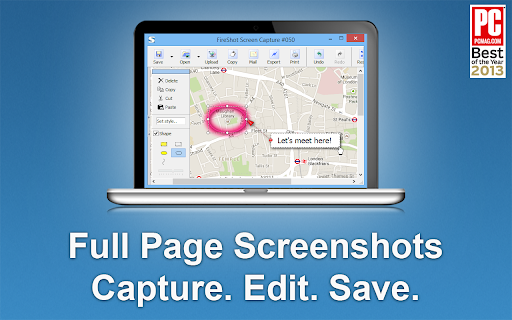
🏆 Ausgezeichnet als "Die beste kostenlose Google Chrome-Erweiterung" von PCMAG.COM
🔒 Sofortige Screenshots werden lokal gespeichert und verlassen niemals Ihren Computer, sodass sie zu 100% sicher sind, um sensible Informationen zu speichern. FireShot kann offline verwendet werden.
🛑 Keine Spyware und unnötigen Berechtigungen - Sie sind nur wenige Klicks von einem idealen Screenshot entfernt.
Die Top 7️⃣ Gründe, FireShot zu installieren:
1️⃣ Speichern Sie Screenshots als PDF (mit Links), PNG und JPEG auf der Festplatte.
2️⃣ Erfassen Sie die gesamte Seite, den sichtbaren Teil der Webseite oder nur eine Auswahl.
3️⃣ Automatische Erfassung aller Registerkarten als PDF oder Bild 🔥
4️⃣ Geben Sie eine Liste von URLs für einen automatischen Stapel-Erfassungsprozess an 🔥
5️⃣ Senden Sie Screenshots an Gmail.
6️⃣ Kopieren Sie erfasste Bilder in die Zwischenablage.
7️⃣ Drucken Sie Screenshots.
Ein Upgrade ist verfügbar. Aktivieren Sie es direkt aus dem Menü und erhalten Sie:
✓ PDF mit direkten Links und Text, aufgeteilt in Seiten
✓ Erfassen Sie bestimmte Elemente, wie scrollbare Bereiche auf Webseiten.
✓ Erfassen Sie alle Registerkarten in einem Klick und speichern Sie sie als einzelne PDF.
✓ Bearbeiten: zuschneiden, Größe ändern, Text- und Pfeilannotationen hinzufügen, Bereiche verwischen und andere Effekte anwenden.
✓ Senden an OneNote (Pro-Version).
✓ Speichern Sie Erfassungen auf der Festplatte als PNG, GIF, JPEG, BMP.
✓ Hochladen auf Twitter, ImageShack, Flickr, EasyCaptures, benutzerdefinierte FTP- oder HTTP-Server.
✓ Kopieren in die Zwischenablage.
✓ Drucken.
✓ E-Mail.
✓ Erfassungen in externen Editor exportieren.
✓ Fügen Sie Seiteninformationen zu Screenshots hinzu (URL, Titel, Zeit, Domain, usw.).
Latest reviews
- GIVEN SEKATI
- Just what I need to take full page screenshots
- Nick Freear 2
- Just what I need to take full page screenshots!
- Jb Scott
- Excellent for Screen shots on Chrome!
- Aaron Hoe
- Extremely useful for marketers and web designers. Fireshot is one of the only reasons I'm still using the resource-hogging Chrome.
- Jeremy Sandberg
- Just used it to take a screen shot of a giant page that was behind a login and it worked great.
- Francesco Errico
- easy and very efficient.
- Owen Trapp
- Great tool. Easy to use. Highly recommend
- Zed Traffer
- Works as advertised, very useful, recommended.
- Andrew Ransom
- Such an amazing tool, massive timesaver and makes workflows so much smoother in dev-land
- Ioannis Kalor
- Excelent tool for screenshots on chrome
- John Fors
- Lifesaver
- Jay Guagliardo
- Has been my GOTO for years! Simply the best!
- amin pourabdollahi
- Amazing extension, Love it!
- Progresor
- Amazing extension, been using it for years with 0 issues
- Katherine
- An outstanding software program, invaluable to capturing data and making them available to use by oneself and others.
- Paulina Pendarvis
- Great resource that is easy to use.
- Maheśvara Ishaya
- Flawless...
- Hinata Inoue
- it's useful
- Stephen Duncan
- Love it, simple, and saved a lot of time.
- Carlo Tan
- love it
- Sarita Chaudhari
- Great extension! Easy to use.
- Joerg Richter
- Great tool, easy to use, highly recommendable
- Kathy Drewien
- Great extension! Easy to use.
- Yeo Kee
- I like it thanks
- Edith Mancha
- Great extension! Use this for work. Easy to use.
- Alexandria McCormick
- Very good extension. Does what it says and helps me move quickly through my work.
- Kateryna Tolstaia
- The extension does what it claims, I like it.
- Daniel Entonu
- Very good extension, I love it!!
- Christian Colvin
- I love FireShot. I use Fireshot all the time! This is a great tool for research and studying that I have had for a few years now. I used it for school, work, and also my own personal research when I need to quickly take a screenshot of some information I found online as I like to do a lot of learning and studying on my PC. Fireshot is so convenient and easy to use! I would recommend this Chrome extension to everyone!
- Admin Mekdojo
- using it for many years. indispensable tool to capture as images or pdf.
- Austin Headley
- Captured pages that GoFullPage couldn't!
- HERMELINDO CHON
- The Best...Thanks!
- Steven Croston
- Tried a few others - this is the best one by far
- Essajee Amijee EA Ltd
- Does it's job 99% of the time...sometimes struggles with pages with multiple sections i.e. when one is scrollable and the others are not.
- Larry Shertz
- great product
- Jan Basnar
- Very useful , easy to use and fast
- Skander Gharbi
- Very useful in my Websites tutorials Mockups
- Bryan Linsley
- Unique and very useful for capturing webpages as they appear.
- Natalie Dianne Delacruz
- Very useful in my funnel designing career
- 马桥弓民
- very useful on chrome
- Peter Green
- I keep this extension in my Chrome Browser and use it multiple times a day. Very easy to use, decent resolution, and it's free. Thanks FireShot!
- good kind (Bona Vista)
- It is absolutely free. It performs well and is stable on the Chrome browser. It is the most perfect screenshot extension in the world. However, it is incompatible with the Zen browser, and all the browser tabs will flicker continuously.
- Gabriel Botelho
- Best tool in the market.
- Thomas Vu
- Excellent tool and easy to use!
- Kat Walker
- Incredibly useful for UX design and QA testing to visually document issues
- Malcolm Yang
- Very good to use
- Michael Harris
- FireShot gets the job done. Clean, simple, and way better than piecing screenshots together
- Dejan Tonic
- Great extension that gets the job done as described.
- Detective Payne
- just perfect extension
- Josie Fitzhugh
- Brilliant tool - love it!