
Ambil Tangkap Layar Halaman Web Secara Seluruh - FireShot
Extension Actions
- Extension status: Featured
- Live on Store
Ambil SEMUA tangkap layar halaman web. Tangkap, ubah, dan simpan ini ke PDF/JPEG/GIF/PNG, unggah, cetak, kirim ke OneNote,…
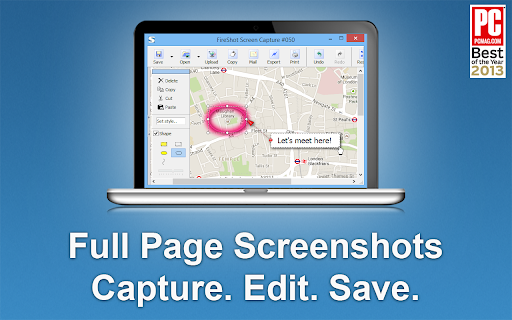
FireShot takes full web page screenshots. You can edit and annotate captures.
You can capture web pages entirely to PDF (with links) / JPEG / PNG files, print, or copy to clipboard. The screenshots are instant, stored locally, and produce no traffic. FireShot can work offline.
* NEW: send screenshots directly to Gmail.
"The Best Free Google Chrome Extension" by PCMAG.COM.
### What you can do with FireShot:
✓ Capture full web pages entirely
✓ Capture only visible part of the page
✓ Capture selection
✓ Save screenshot to disk as PDF (with links), PNG, and JPEG
✓ Copy screenshot to clipboard
✓ Print web page screenshots
### A FREE upgrade is available. Activate it directly from the menu and:
✓ Save screenshot to PDF files with direct links
✓ Capture specific elements, such as scrolling areas on web pages
✓ Capture all tabs in one click and save to single PDF
✓ Edit screenshot: crop, resize, add text and arrow annotations, blur areas and apply other effects
✓ Send to OneNote (Pro version)
✓ Print
✓ Save captures to disk as PDF, PNG, GIF, JPEG, BMP
✓ Upload to Twitter, Google Picasa, Facebook, ImageShack, Flickr, EasyCaptures
✓ Copy screenshots to clipboard
✓ Print
✓ E-Mail
✓ Export captures to external editor
Latest reviews
- GIVEN SEKATI
- Just what I need to take full page screenshots
- Nick Freear 2
- Just what I need to take full page screenshots!
- Jb Scott
- Excellent for Screen shots on Chrome!
- Aaron Hoe
- Extremely useful for marketers and web designers. Fireshot is one of the only reasons I'm still using the resource-hogging Chrome.
- Jeremy Sandberg
- Just used it to take a screen shot of a giant page that was behind a login and it worked great.
- Francesco Errico
- easy and very efficient.
- Owen Trapp
- Great tool. Easy to use. Highly recommend
- Zed Traffer
- Works as advertised, very useful, recommended.
- Andrew Ransom
- Such an amazing tool, massive timesaver and makes workflows so much smoother in dev-land
- Ioannis Kalor
- Excelent tool for screenshots on chrome
- John Fors
- Lifesaver
- Jay Guagliardo
- Has been my GOTO for years! Simply the best!
- amin pourabdollahi
- Amazing extension, Love it!
- Progresor
- Amazing extension, been using it for years with 0 issues
- Katherine
- An outstanding software program, invaluable to capturing data and making them available to use by oneself and others.
- Paulina Pendarvis
- Great resource that is easy to use.
- Maheśvara Ishaya
- Flawless...
- Hinata Inoue
- it's useful
- Stephen Duncan
- Love it, simple, and saved a lot of time.
- Carlo Tan
- love it
- Sarita Chaudhari
- Great extension! Easy to use.
- Joerg Richter
- Great tool, easy to use, highly recommendable
- Kathy Drewien
- Great extension! Easy to use.
- Yeo Kee
- I like it thanks
- Edith Mancha
- Great extension! Use this for work. Easy to use.
- Alexandria McCormick
- Very good extension. Does what it says and helps me move quickly through my work.
- Kateryna Tolstaia
- The extension does what it claims, I like it.
- Daniel Entonu
- Very good extension, I love it!!
- Christian Colvin
- I love FireShot. I use Fireshot all the time! This is a great tool for research and studying that I have had for a few years now. I used it for school, work, and also my own personal research when I need to quickly take a screenshot of some information I found online as I like to do a lot of learning and studying on my PC. Fireshot is so convenient and easy to use! I would recommend this Chrome extension to everyone!
- Admin Mekdojo
- using it for many years. indispensable tool to capture as images or pdf.
- Austin Headley
- Captured pages that GoFullPage couldn't!
- HERMELINDO CHON
- The Best...Thanks!
- Steven Croston
- Tried a few others - this is the best one by far
- Essajee Amijee EA Ltd
- Does it's job 99% of the time...sometimes struggles with pages with multiple sections i.e. when one is scrollable and the others are not.
- Larry Shertz
- great product
- Jan Basnar
- Very useful , easy to use and fast
- Skander Gharbi
- Very useful in my Websites tutorials Mockups
- Bryan Linsley
- Unique and very useful for capturing webpages as they appear.
- Natalie Dianne Delacruz
- Very useful in my funnel designing career
- 马桥弓民
- very useful on chrome
- Peter Green
- I keep this extension in my Chrome Browser and use it multiple times a day. Very easy to use, decent resolution, and it's free. Thanks FireShot!
- good kind (Bona Vista)
- It is absolutely free. It performs well and is stable on the Chrome browser. It is the most perfect screenshot extension in the world. However, it is incompatible with the Zen browser, and all the browser tabs will flicker continuously.
- Gabriel Botelho
- Best tool in the market.
- Thomas Vu
- Excellent tool and easy to use!
- Kat Walker
- Incredibly useful for UX design and QA testing to visually document issues
- Malcolm Yang
- Very good to use
- Michael Harris
- FireShot gets the job done. Clean, simple, and way better than piecing screenshots together
- Dejan Tonic
- Great extension that gets the job done as described.
- Detective Payne
- just perfect extension
- Josie Fitzhugh
- Brilliant tool - love it!