
ವೆಬ್ಪುಟದ ಸಂಪೂರ್ಣ ಸ್ಕ್ರೀನ್ಶಾಟ್ಗಳನ್ನು ಸೆರೆಹಿಡಿಯಿರಿ - FireShot
Extension Actions
- Extension status: Featured
- Live on Store
ವೆಬ್ಪುಟದ ಪೂರ್ಣ ಸ್ಕ್ರೀನ್ಶಾಟ್ಗಳನ್ನು ತೆಗೆದುಕೊಳ್ಳಿ. ಸೆರೆಹಿಡಿಯಿರಿ, ಸಂಪಾದಿಸಿ ಮತ್ತು PDF/JPEG/GIF/PNG ಆಗಿ ಉಳಿಸಿ, ಅಪ್ಲೋಡ್ ಮಾಡಿ,…
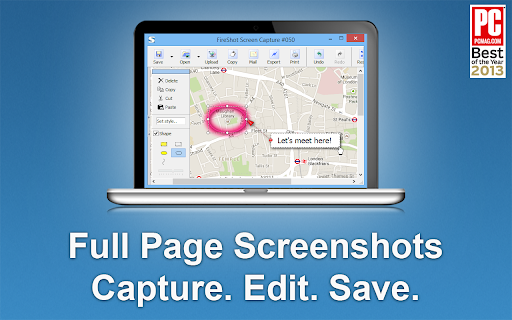
Capture pages fully and entirely. Create PDF files from web pages. Instant screenshots are stored locally, and produce no traffic. FireShot can work offline.
No ads, spyware and unnecessary permissions - you're just in a couple of clicks away from an ideal screenshot.
Awarded as "The Best Free Google Chrome Extension" by PCMAG.COM in 2013
### What you can do with FireShot
✓ Save screenshot to disk as PDF (with links), PNG, and JPEG
✓ Capture only visible part of the web page or just a selection
✓ Send to Gmail
✓ Copy to clipboard
✓ Print
### An upgrade is available. Activate it directly from the menu and:
✓ Save to PDF files with direct links
✓ Capture specific elements, such as scrolling areas on web pages
✓ Capture all tabs in one click and save to single PDF
✓ Edit: crop, resize, add text and arrow annotations, blur areas and apply other effects
✓ Send to OneNote (Pro version)
✓ Save captures to disk as PNG, GIF, JPEG, BMP
✓ Upload to Twitter, ImageShack, Flickr, EasyCaptures, ImgBB, custom FTP or HTTP servers
✓ Copy to clipboard
✓ Print
✓ E-Mail
✓ Export captures to external editor
Latest reviews
- Fernando Esposito
- Excellent!
- Brittney Bush Bollay
- Works reliably and is incredibly useful. What more do you need?
- Gavin Symanowitz
- Fantastic tool, really user-friendly.
- Patrick Elward
- top quality screen shots that enable me to easily share 'before and after' with clients. Highly useful.
- Equipe Elektra
- Very grateful, it helps a lot.
- Tarek Bohdima
- using it for years now, always do the job and always updates without problem. best chrome extension out there
- Panayota Hatziyeoryiou
- FireShot is an amazing extension! So easy and simple to use, very solid and truly useful as well!
- Max Murray
- Love the ease of use. Pro is worth it in my opinion.
- Chinmay Kulkarni
- best extension easy to use and no errors or any issue for long time now
- kibrom yemane
- Fantastic extension that I did not see such a quality ever.
- Jane Roberts
- Absolutely the best screensaver around. Makes my life a whole lot easier.
- Ruo Li
- FireShot’s 'Capture Selection' tool is a total game-changer! Absolutely love it. Huge thanks to the team!
- Luke Morrison
- Almost Perfect. I use it a ton!!! I wish Omarchy Arch Linux could use it naively for the Print Screen function! That would be EPIC to have a OS level Fireshot plugin with a link to OpenClaw so it could pass a screen shot to an Grok.com or Local AI Agent directly!
- Tony Fletcher
- Best screenshot around!!
- Cherokee Guitar
- Great way to get a screenshot (so far) I have it built in on this Linux all I do is hit Insert/print Screen key) but FireShot is very handy! I can get a Full page (Long) Screenshot very easily with FireShot and export is as .PDF if the need arises etc. I just coded a Web App for the Trail Of Tears removal and needed Screenshots for my new Github Readme and FireShot was Great! I give it 5 stars!
- M A S
- Easy to use and effective for screenshots of any size
- Marko Mitić
- its a great way to capture screenshots
- Mitushi Mehndiratta
- amazing tool, glad that its free too(even the pro)!
- Robert Daniel
- Easy to chose how I want to capture
- Aleksey
- It’s very convenient. It handles internal scrolling—exactly what I was looking for. Wishing you all the best and continued growth!
- stoody yash
- Supper and amazing easy fast and cool a must have tool
- Austin
- Amazing software. Works perfectly.
- Timonwa Akintokun
- i have been using it for years. and will keep using it for years to come.
- Joe DeLallo
- I use it every week!
- Meio Taaha
- It's very useful for and helps me alot i my daily routine work. Thanks a lot Developers
- food chongqing
- nice
- Kelly Rennie
- Super useful for websites and email previews!
- Nancy Vesley
- Best screenshot extension...I use it a gazillion times a day.
- Tommy Johnson
- This is my go to tool when I need to capture an image or PDF.
- Charl Malherbe
- my go to tool!
- Joseph Bonhage
- By far, the best full page capture extension for both Firefox and Chrome that I have tried.
- John Acton
- The best screen capture tool I've used!
- Simon Batchelor
- Never fails to be the best out there
- Peter Duerden
- Very good. Tried half a dozen capture tools, but this one was the best. Easy to switch between capture area, visible or entire page.
- Jeanne Wins
- Great tool, I use it on a regular basis, it's very simple, user friendly anssuper helpful. Thank You !
- Wayne F
- Extremely useful tool for capturing screenshoots and complete pages. A+A+A+ utility, love it!
- afroditi m
- Being using it for years. Really helpful tool.
- Jacqui Taggart
- Makes getting screenshots of the full page a lot easier - otherwise it would only be possible on Firefox, and not Chrome. Thank you!
- Jason Mugo
- Useful app!
- Girish Venkatachalam
- Best screenshot plugin. Period.
- Ben Ponder
- Does the job, quickly and correctly.
- Narasimman VC
- This is my absolute go-to tool for documenting online documents for future usage purposes. The ability to grab a webpage in both .pdf and .png image means that users are able to present both a searchable pdf and an image that shows a true copy of what was seen in the real screen, how it was looking when it was captured... to prove no changes by the user. Further - the pdf can show the url and the date / time it was gathered. I'm a web designer and i would have loved to have Fireshot back at the start of the Internet. I can't say enough good things about this program.
- Donald Best
- This is my absolute go-to tool for documenting online evidence for court purposes. The ability to grab a webpage in both .pdf and .png image means that users are able to present both a searchable pdf and an image that shows a true copy of what was seen when the evidence was gathered... to prove no changes by the user. Further - the pdf can show the url and the date / time it was gathered. I'm a former Toronto Police Sergeant Detective - and we would have loved to have Fireshot back at the start of the Internet. I can't say enough good things about this program.
- Benjamin Cole
- Great tool when the snippet feature is buggy on windows
- Andrew W
- Save selection to PDF is still broken with large margins that cannot be changed!
- NCI UNIRP
- Top
- Steve Bingham
- Super productive: fast and easy!
- Malek El Khadhraoui
- Excellent tool
- Andika Putra
- One of the best extensions I’ve ever used
- Steven Dracker
- I’ve relied on FireShot for web captures since 2014. It is an essential tool for gathering evidence during cybersecurity audits, as well as for web development and QA. I rarely award five stars, but FireShot’s continuous maturity and daily utility make it a well-deserved exception.