
คัดลอกขัอมูลจากหน้าเวป - FireShot
Extension Actions
- Extension status: Featured
คัดลอกขัอมูลจากหน้าเวปได้ทุกส่วน และแก้ไข/บันทึกขัอมูลที่คัดลอกให้อยู่ในรูปแบบ PDF/JPEG/GIF/PNG รวมถึงการถ่ายโอน, พิมพ์ และส่งเข้า…
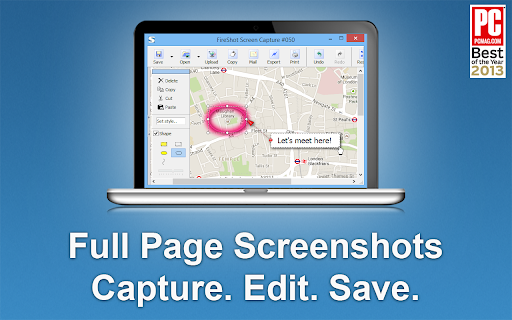
FireShot takes full web page screenshots. You can edit and annotate captures.
You can capture web pages entirely to PDF (with links) / JPEG / PNG files, print, or copy to clipboard. The screenshots are instant, stored locally, and produce no traffic. FireShot can work offline.
* NEW: send screenshots directly to Gmail.
"The Best Free Google Chrome Extension" by PCMAG.COM.
### What you can do with FireShot:
✓ Capture full web pages entirely
✓ Capture only visible part of the page
✓ Capture selection
✓ Save screenshot to disk as PDF (with links), PNG, and JPEG
✓ Copy screenshot to clipboard
✓ Print web page screenshots
### A FREE upgrade is available. Activate it directly from the menu and:
✓ Save screenshot to PDF files with direct links
✓ Capture specific elements, such as scrolling areas on web pages
✓ Capture all tabs in one click and save to single PDF
✓ Edit screenshot: crop, resize, add text and arrow annotations, blur areas and apply other effects
✓ Send to OneNote (Pro version)
✓ Print
✓ Save captures to disk as PDF, PNG, GIF, JPEG, BMP
✓ Upload to Twitter, Google Picasa, Facebook, ImageShack, Flickr, EasyCaptures
✓ Copy screenshots to clipboard
✓ Print
✓ E-Mail
✓ Export captures to external editor
Latest reviews
- Kat Walker
- Incredibly useful for UX design and QA testing to visually document issues
- Malcolm Yang
- Very good to use
- Michael Harris
- FireShot gets the job done. Clean, simple, and way better than piecing screenshots together
- Dejan Tonic
- Great extension that gets the job done as described.
- Detective Payne
- just perfect extension
- Josie Fitzhugh
- Brilliant tool - love it!
- Fernando Esposito
- Excellent!
- Brittney Bush Bollay
- Works reliably and is incredibly useful. What more do you need?
- Gavin Symanowitz
- Fantastic tool, really user-friendly.
- Patrick Elward
- top quality screen shots that enable me to easily share 'before and after' with clients. Highly useful.
- Equipe Elektra
- Very grateful, it helps a lot.
- Tarek Bohdima
- using it for years now, always do the job and always updates without problem. best chrome extension out there
- Panayota Hatziyeoryiou
- FireShot is an amazing extension! So easy and simple to use, very solid and truly useful as well!
- Max Murray
- Love the ease of use. Pro is worth it in my opinion.
- Chinmay Kulkarni
- best extension easy to use and no errors or any issue for long time now
- kibrom yemane
- Fantastic extension that I did not see such a quality ever.
- Jane Roberts
- Absolutely the best screensaver around. Makes my life a whole lot easier.
- Ruo Li
- FireShot’s 'Capture Selection' tool is a total game-changer! Absolutely love it. Huge thanks to the team!
- Luke Morrison
- Almost Perfect. I use it a ton!!! I wish Omarchy Arch Linux could use it naively for the Print Screen function! That would be EPIC to have a OS level Fireshot plugin with a link to OpenClaw so it could pass a screen shot to an Grok.com or Local AI Agent directly!
- Tony Fletcher
- Best screenshot around!!
- Cherokee Guitar
- Great way to get a screenshot (so far) I have it built in on this Linux all I do is hit Insert/print Screen key) but FireShot is very handy! I can get a Full page (Long) Screenshot very easily with FireShot and export is as .PDF if the need arises etc. I just coded a Web App for the Trail Of Tears removal and needed Screenshots for my new Github Readme and FireShot was Great! I give it 5 stars!
- M A S
- Easy to use and effective for screenshots of any size
- Marko Mitić
- its a great way to capture screenshots
- Mitushi Mehndiratta
- amazing tool, glad that its free too(even the pro)!
- Robert Daniel
- Easy to chose how I want to capture
- Aleksey
- It’s very convenient. It handles internal scrolling—exactly what I was looking for. Wishing you all the best and continued growth!
- stoody yash
- Supper and amazing easy fast and cool a must have tool
- Austin
- Amazing software. Works perfectly.
- Timonwa Akintokun
- i have been using it for years. and will keep using it for years to come.
- Joe DeLallo
- I use it every week!
- Meio Taaha
- It's very useful for and helps me alot i my daily routine work. Thanks a lot Developers
- food chongqing
- nice
- Kelly Rennie
- Super useful for websites and email previews!
- Nancy Vesley
- Best screenshot extension...I use it a gazillion times a day.
- Tommy Johnson
- This is my go to tool when I need to capture an image or PDF.
- Charl Malherbe
- my go to tool!
- Joseph Bonhage
- By far, the best full page capture extension for both Firefox and Chrome that I have tried.
- John Acton
- The best screen capture tool I've used!
- Simon Batchelor
- Never fails to be the best out there
- Peter Duerden
- Very good. Tried half a dozen capture tools, but this one was the best. Easy to switch between capture area, visible or entire page.
- Jeanne Wins
- Great tool, I use it on a regular basis, it's very simple, user friendly anssuper helpful. Thank You !
- Wayne F
- Extremely useful tool for capturing screenshoots and complete pages. A+A+A+ utility, love it!
- afroditi m
- Being using it for years. Really helpful tool.
- Jacqui Taggart
- Makes getting screenshots of the full page a lot easier - otherwise it would only be possible on Firefox, and not Chrome. Thank you!
- Jason Mugo
- Useful app!
- Girish Venkatachalam
- Best screenshot plugin. Period.
- Ben Ponder
- Does the job, quickly and correctly.
- Narasimman VC
- This is my absolute go-to tool for documenting online documents for future usage purposes. The ability to grab a webpage in both .pdf and .png image means that users are able to present both a searchable pdf and an image that shows a true copy of what was seen in the real screen, how it was looking when it was captured... to prove no changes by the user. Further - the pdf can show the url and the date / time it was gathered. I'm a web designer and i would have loved to have Fireshot back at the start of the Internet. I can't say enough good things about this program.
- Donald Best
- This is my absolute go-to tool for documenting online evidence for court purposes. The ability to grab a webpage in both .pdf and .png image means that users are able to present both a searchable pdf and an image that shows a true copy of what was seen when the evidence was gathered... to prove no changes by the user. Further - the pdf can show the url and the date / time it was gathered. I'm a former Toronto Police Sergeant Detective - and we would have loved to have Fireshot back at the start of the Internet. I can't say enough good things about this program.
- Benjamin Cole
- Great tool when the snippet feature is buggy on windows