
ウェブページ全体をスクリーンショット - FireShot
Extension Actions
- Extension status: Featured
- Live on Store
ウェブページ全体をスクリーンショット撮影。PDF/JPEG/GIF/PNGでキャプチャ、編集、保存やアップロード、印刷、そしてOneNote、クリップボード、メールに送信できます。
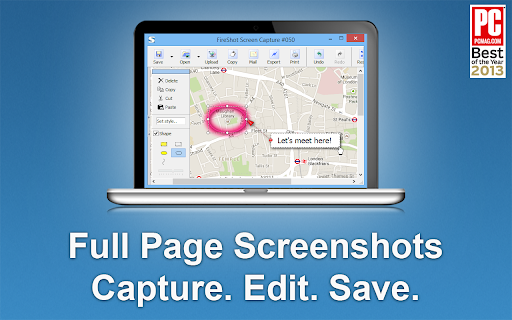
FireShotならウェブページ全体のスクリーンショットを撮影して、編集・注釈が可能です。
ウェブページのキャプチャ画像をPDF / JPEG / PNGファイルで保存、印刷、クリップボードにコピー可能。オフラインでも作業できます。
* NEW:スクリーンショットをGmailに直接送信。
「Google Chromeの拡張機能の中でも最高の無料アドオンだ」(PCMAG.COM)
すぐにスクリーンショットを撮影。トラフィックは生成しません。
### FireShotの特長:
✓ ウェブページ全体をキャプチャ
✓ ウェブページの表示部分だけをキャプチャ
✓ 選択範囲をキャプチャ
✓ スクリーンショットをPDF、PNG、JPEG形式で保存
✓ スクリーンショットをクリップボードにコピー
✓ スクリーンショットを印刷
### 無料でアップグレードできます。メニューから直接有効にすると次の機能が使えます。
✓ スクロールした範囲などウェブページの指定部分をキャプチャ
✓ すべてのタブをワンクリックでキャプチャして単一のPDFに保存
✓ スクリーンショットの編集:トリミング、リサイズ、テキストの追加、ぼかしなどのエフェクトを適用
✓ 印刷
✓ スクリーンショットをPDFファイルに保存
✓PDF、PNG、GIF、JPEG、BMPとしてキャプチャを保存
✓ OneNoteに送信 (Pro バージョン)
✓ Twitter、Google Picasa、Facebook、ImageShack、Flickr、EasyCapturesにアップロード
✓ スクリーンショットをクリップボードにコピー
✓ スクリーンショットを印刷
✓ メール
✓ 外部エディターにエクスポート
この拡張機能は、Safari、Firefox、Edge、Opera、Vivaldi、Internet Explorer、SeaMonkey、およびその他のChromiumベースのブラウザーでも使用できます(詳細:https://getfireshot.com)
Twitterでフォローしてください:https://twitter.com/FireShot_Addon
連絡先:[email protected]
フィードバック:https://getfireshot.com/sup/index.php?a=vtopic&t=1155
Latest reviews
- GIVEN SEKATI
- Just what I need to take full page screenshots
- Nick Freear 2
- Just what I need to take full page screenshots!
- Jb Scott
- Excellent for Screen shots on Chrome!
- Aaron Hoe
- Extremely useful for marketers and web designers. Fireshot is one of the only reasons I'm still using the resource-hogging Chrome.
- Jeremy Sandberg
- Just used it to take a screen shot of a giant page that was behind a login and it worked great.
- Francesco Errico
- easy and very efficient.
- Owen Trapp
- Great tool. Easy to use. Highly recommend
- Zed Traffer
- Works as advertised, very useful, recommended.
- Andrew Ransom
- Such an amazing tool, massive timesaver and makes workflows so much smoother in dev-land
- Ioannis Kalor
- Excelent tool for screenshots on chrome
- John Fors
- Lifesaver
- Jay Guagliardo
- Has been my GOTO for years! Simply the best!
- amin pourabdollahi
- Amazing extension, Love it!
- Progresor
- Amazing extension, been using it for years with 0 issues
- Katherine
- An outstanding software program, invaluable to capturing data and making them available to use by oneself and others.
- Paulina Pendarvis
- Great resource that is easy to use.
- Maheśvara Ishaya
- Flawless...
- Hinata Inoue
- it's useful
- Stephen Duncan
- Love it, simple, and saved a lot of time.
- Carlo Tan
- love it
- Sarita Chaudhari
- Great extension! Easy to use.
- Joerg Richter
- Great tool, easy to use, highly recommendable
- Kathy Drewien
- Great extension! Easy to use.
- Yeo Kee
- I like it thanks
- Edith Mancha
- Great extension! Use this for work. Easy to use.
- Alexandria McCormick
- Very good extension. Does what it says and helps me move quickly through my work.
- Kateryna Tolstaia
- The extension does what it claims, I like it.
- Daniel Entonu
- Very good extension, I love it!!
- Christian Colvin
- I love FireShot. I use Fireshot all the time! This is a great tool for research and studying that I have had for a few years now. I used it for school, work, and also my own personal research when I need to quickly take a screenshot of some information I found online as I like to do a lot of learning and studying on my PC. Fireshot is so convenient and easy to use! I would recommend this Chrome extension to everyone!
- Admin Mekdojo
- using it for many years. indispensable tool to capture as images or pdf.
- Austin Headley
- Captured pages that GoFullPage couldn't!
- HERMELINDO CHON
- The Best...Thanks!
- Steven Croston
- Tried a few others - this is the best one by far
- Essajee Amijee EA Ltd
- Does it's job 99% of the time...sometimes struggles with pages with multiple sections i.e. when one is scrollable and the others are not.
- Larry Shertz
- great product
- Jan Basnar
- Very useful , easy to use and fast
- Skander Gharbi
- Very useful in my Websites tutorials Mockups
- Bryan Linsley
- Unique and very useful for capturing webpages as they appear.
- Natalie Dianne Delacruz
- Very useful in my funnel designing career
- 马桥弓民
- very useful on chrome
- Peter Green
- I keep this extension in my Chrome Browser and use it multiple times a day. Very easy to use, decent resolution, and it's free. Thanks FireShot!
- good kind (Bona Vista)
- It is absolutely free. It performs well and is stable on the Chrome browser. It is the most perfect screenshot extension in the world. However, it is incompatible with the Zen browser, and all the browser tabs will flicker continuously.
- Gabriel Botelho
- Best tool in the market.
- Thomas Vu
- Excellent tool and easy to use!
- Kat Walker
- Incredibly useful for UX design and QA testing to visually document issues
- Malcolm Yang
- Very good to use
- Michael Harris
- FireShot gets the job done. Clean, simple, and way better than piecing screenshots together
- Dejan Tonic
- Great extension that gets the job done as described.
- Detective Payne
- just perfect extension
- Josie Fitzhugh
- Brilliant tool - love it!