
Captura de página completa - FireShot
Extension Actions
- Extension status: Featured
- Live on Store
Captura imagenes de pagina web,editar y guardar en PDF/JPEG/GIF/PNG/BMP. Subir,imprimir,enviar al portapapeles o correo electronico
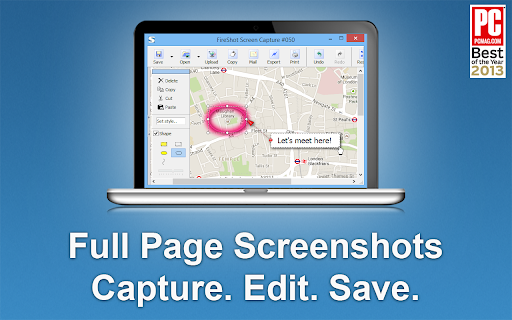
🏆 Premiado como "La Mejor Extensión Gratuita de Google Chrome" por PCMAG.COM
🔒 Las capturas de pantalla instantáneas se almacenan localmente y nunca abandonan tu computadora, por lo que es 100% seguro para almacenar información sensible. FireShot puede funcionar sin conexión.
🛑 Sin spyware ni permisos innecesarios: estás a solo un par de clics de obtener una captura de pantalla ideal.
Las principales 7 razones para instalar FireShot:
1️⃣ Guarda capturas de pantalla en disco como PDF (con enlaces), PNG y JPEG.
2️⃣ Captura la página completa, la parte visible de la página web o simplemente una selección.
3️⃣ Captura automáticamente todas las pestañas en PDF o imagen 🔥.
4️⃣ Proporciona una lista de URLs para un proceso automático de captura por lotes 🔥.
5️⃣ Envía capturas de pantalla a Gmail.
6️⃣ Copia las imágenes capturadas al portapapeles.
7️⃣ Imprime.
### Hay una actualización disponible. Actívala directamente desde el menú y obtén:
✓ PDF con enlaces y texto, se puede dividir en páginas.
✓ Captura elementos específicos, como áreas desplazables en páginas web.
✓ Captura todas las pestañas con un solo clic y guárdalas en un solo PDF.
✓ Edición: recorta, redimensiona, agrega texto y anotaciones con flechas, desenfoca áreas y aplica otros efectos.
✓ Envío a OneNote (versión Pro).
✓ Guarda capturas en disco como PNG, GIF, JPEG, BMP.
✓ Sube a Twitter, ImageShack, Flickr, EasyCaptures, servidores FTP o HTTP personalizados.
✓ Copia al portapapeles.
✓ Imprime.
✓ Envía por correo electrónico.
✓ Exporta capturas a un editor externo.
✓ Agrega información de la página a las capturas de pantalla (URL, título, hora, dominio, etc.).
Latest reviews
- Progresor
- Amazing extension, been using it for years with 0 issues
- Katherine
- An outstanding software program, invaluable to capturing data and making them available to use by oneself and others.
- Paulina Pendarvis
- Great resource that is easy to use.
- Maheśvara Ishaya
- Flawless...
- Hinata Inoue
- it's useful
- Stephen Duncan
- Love it, simple, and saved a lot of time.
- Carlo Tan
- love it
- Sarita Chaudhari
- Great extension! Easy to use.
- Joerg Richter
- Great tool, easy to use, highly recommendable
- Kathy Drewien
- Great extension! Easy to use.
- Yeo Kee
- I like it thanks
- Edith Mancha
- Great extension! Use this for work. Easy to use.
- Alexandria McCormick
- Very good extension. Does what it says and helps me move quickly through my work.
- Kateryna Tolstaia
- The extension does what it claims, I like it.
- Daniel Entonu
- Very good extension, I love it!!
- Christian Colvin
- I love FireShot. I use Fireshot all the time! This is a great tool for research and studying that I have had for a few years now. I used it for school, work, and also my own personal research when I need to quickly take a screenshot of some information I found online as I like to do a lot of learning and studying on my PC. Fireshot is so convenient and easy to use! I would recommend this Chrome extension to everyone!
- Admin Mekdojo
- using it for many years. indispensable tool to capture as images or pdf.
- Austin Headley
- Captured pages that GoFullPage couldn't!
- HERMELINDO CHON
- The Best...Thanks!
- Steven Croston
- Tried a few others - this is the best one by far
- Essajee Amijee EA Ltd
- Does it's job 99% of the time...sometimes struggles with pages with multiple sections i.e. when one is scrollable and the others are not.
- Larry Shertz
- great product
- Jan Basnar
- Very useful , easy to use and fast
- Skander Gharbi
- Very useful in my Websites tutorials Mockups
- Bryan Linsley
- Unique and very useful for capturing webpages as they appear.
- Natalie Dianne Delacruz
- Very useful in my funnel designing career
- 马桥弓民
- very useful on chrome
- Peter Green
- I keep this extension in my Chrome Browser and use it multiple times a day. Very easy to use, decent resolution, and it's free. Thanks FireShot!
- good kind (Bona Vista)
- It is absolutely free. It performs well and is stable on the Chrome browser. It is the most perfect screenshot extension in the world. However, it is incompatible with the Zen browser, and all the browser tabs will flicker continuously.
- Gabriel Botelho
- Best tool in the market.
- Thomas Vu
- Excellent tool and easy to use!
- Kat Walker
- Incredibly useful for UX design and QA testing to visually document issues
- Malcolm Yang
- Very good to use
- Michael Harris
- FireShot gets the job done. Clean, simple, and way better than piecing screenshots together
- Dejan Tonic
- Great extension that gets the job done as described.
- Detective Payne
- just perfect extension
- Josie Fitzhugh
- Brilliant tool - love it!
- Fernando Esposito
- Excellent!
- Brittney Bush Bollay
- Works reliably and is incredibly useful. What more do you need?
- Gavin Symanowitz
- Fantastic tool, really user-friendly.
- Patrick Elward
- top quality screen shots that enable me to easily share 'before and after' with clients. Highly useful.
- Equipe Elektra
- Very grateful, it helps a lot.
- Tarek Bohdima
- using it for years now, always do the job and always updates without problem. best chrome extension out there
- Panayota Hatziyeoryiou
- FireShot is an amazing extension! So easy and simple to use, very solid and truly useful as well!
- Max Murray
- Love the ease of use. Pro is worth it in my opinion.
- Chinmay Kulkarni
- best extension easy to use and no errors or any issue for long time now
- kibrom yemane
- Fantastic extension that I did not see such a quality ever.
- Jane Roberts
- Absolutely the best screensaver around. Makes my life a whole lot easier.
- Ruo Li
- FireShot’s 'Capture Selection' tool is a total game-changer! Absolutely love it. Huge thanks to the team!
- Luke Morrison
- Almost Perfect. I use it a ton!!! I wish Omarchy Arch Linux could use it naively for the Print Screen function! That would be EPIC to have a OS level Fireshot plugin with a link to OpenClaw so it could pass a screen shot to an Grok.com or Local AI Agent directly!