
FireShot - скриншоты страниц и аннотации
Extension Actions
- Extension status: Featured
- Live on Store
Делайте скриншоты, редактируйте их и сохраняйте в PDF/JPEG/GIF/PNG/BMP; печатайте, отправляйте в Clipboard, Photoshop или по e-mail
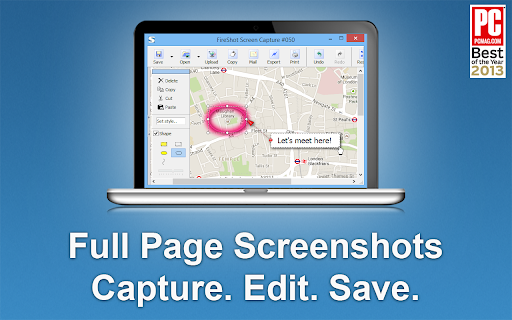
🏆 Удостоен награды "Лучшее бесплатное расширение для Google Chrome" от PCMAG.COM
🔒 Мгновенные скриншоты сохраняются локально на вашем компьютере и никогда не покидают его, что гарантирует полную безопасность при сохранении конфиденциальной информации. FireShot может работать в автономном режиме.
🛑 Нет шпионского ПО и ненужных разрешений - вам потребуется всего несколько кликов для создания идеального скриншота.
Главные 7️⃣ причин установить FireShot:
1️⃣ Сохранение скриншотов на диск в форматах PDF (с ссылками), PNG и JPEG.
2️⃣ Захват всей страницы, видимой части веб-страницы или выборочного фрагмента.
3️⃣ Автоматический захват всех вкладок в формате PDF или изображения 🔥.
4️⃣ Захват списка адресов 🔥.
5️⃣ Отправка скриншотов на электронную почту через Gmail.
6️⃣ Копирование захваченных изображений в буфер обмена.
7️⃣ Печать скриншотов.
### Доступно обновление. Активируйте его непосредственно из меню, чтобы получить:
✓ PDF с прямыми ссылками и текстом, разделенный на страницы.
✓ Захват конкретных элементов, таких как прокручиваемые области на веб-страницах.
✓ Захват всех вкладок в один клик и сохранение в одном PDF-файле.
✓ Редактирование: обрезка, изменение размера, добавление текста и стрелочных аннотаций, размытие областей и применение других эффектов.
✓ Отправка в OneNote (профессиональная версия).
✓ Сохранение скриншотов на диск в форматах PNG, GIF, JPEG, BMP.
✓ Загрузка на Twitter, ImageShack, Flickr, EasyCaptures, настраиваемые FTP- или HTTP-серверы.
✓ Копирование в буфер обмена.
✓ Печать.
✓ Отправка по электронной почте.
✓ Экспорт скриншотов во внешний редактор.
✓ Добавление информации о странице к скриншотам (URL, заголовок, время, домен и т. д.).
Latest reviews
- GIVEN SEKATI
- Just what I need to take full page screenshots
- Nick Freear 2
- Just what I need to take full page screenshots!
- Jb Scott
- Excellent for Screen shots on Chrome!
- Aaron Hoe
- Extremely useful for marketers and web designers. Fireshot is one of the only reasons I'm still using the resource-hogging Chrome.
- Jeremy Sandberg
- Just used it to take a screen shot of a giant page that was behind a login and it worked great.
- Francesco Errico
- easy and very efficient.
- Owen Trapp
- Great tool. Easy to use. Highly recommend
- Zed Traffer
- Works as advertised, very useful, recommended.
- Andrew Ransom
- Such an amazing tool, massive timesaver and makes workflows so much smoother in dev-land
- Ioannis Kalor
- Excelent tool for screenshots on chrome
- John Fors
- Lifesaver
- Jay Guagliardo
- Has been my GOTO for years! Simply the best!
- amin pourabdollahi
- Amazing extension, Love it!
- Progresor
- Amazing extension, been using it for years with 0 issues
- Katherine
- An outstanding software program, invaluable to capturing data and making them available to use by oneself and others.
- Paulina Pendarvis
- Great resource that is easy to use.
- Maheśvara Ishaya
- Flawless...
- Hinata Inoue
- it's useful
- Stephen Duncan
- Love it, simple, and saved a lot of time.
- Carlo Tan
- love it
- Sarita Chaudhari
- Great extension! Easy to use.
- Joerg Richter
- Great tool, easy to use, highly recommendable
- Kathy Drewien
- Great extension! Easy to use.
- Yeo Kee
- I like it thanks
- Edith Mancha
- Great extension! Use this for work. Easy to use.
- Alexandria McCormick
- Very good extension. Does what it says and helps me move quickly through my work.
- Kateryna Tolstaia
- The extension does what it claims, I like it.
- Daniel Entonu
- Very good extension, I love it!!
- Christian Colvin
- I love FireShot. I use Fireshot all the time! This is a great tool for research and studying that I have had for a few years now. I used it for school, work, and also my own personal research when I need to quickly take a screenshot of some information I found online as I like to do a lot of learning and studying on my PC. Fireshot is so convenient and easy to use! I would recommend this Chrome extension to everyone!
- Admin Mekdojo
- using it for many years. indispensable tool to capture as images or pdf.
- Austin Headley
- Captured pages that GoFullPage couldn't!
- HERMELINDO CHON
- The Best...Thanks!
- Steven Croston
- Tried a few others - this is the best one by far
- Essajee Amijee EA Ltd
- Does it's job 99% of the time...sometimes struggles with pages with multiple sections i.e. when one is scrollable and the others are not.
- Larry Shertz
- great product
- Jan Basnar
- Very useful , easy to use and fast
- Skander Gharbi
- Very useful in my Websites tutorials Mockups
- Bryan Linsley
- Unique and very useful for capturing webpages as they appear.
- Natalie Dianne Delacruz
- Very useful in my funnel designing career
- 马桥弓民
- very useful on chrome
- Peter Green
- I keep this extension in my Chrome Browser and use it multiple times a day. Very easy to use, decent resolution, and it's free. Thanks FireShot!
- good kind (Bona Vista)
- It is absolutely free. It performs well and is stable on the Chrome browser. It is the most perfect screenshot extension in the world. However, it is incompatible with the Zen browser, and all the browser tabs will flicker continuously.
- Gabriel Botelho
- Best tool in the market.
- Thomas Vu
- Excellent tool and easy to use!
- Kat Walker
- Incredibly useful for UX design and QA testing to visually document issues
- Malcolm Yang
- Very good to use
- Michael Harris
- FireShot gets the job done. Clean, simple, and way better than piecing screenshots together
- Dejan Tonic
- Great extension that gets the job done as described.
- Detective Payne
- just perfect extension
- Josie Fitzhugh
- Brilliant tool - love it!