
Tmavý režim - Noční oko
Extension Actions
- Extension status: Featured
- Extension status: In-App Purchases
- Live on Store
Podle potřeby přepněte každou webovou stránku do tmavého / světlého režimu. Pečujte o své oči s Night Eye.
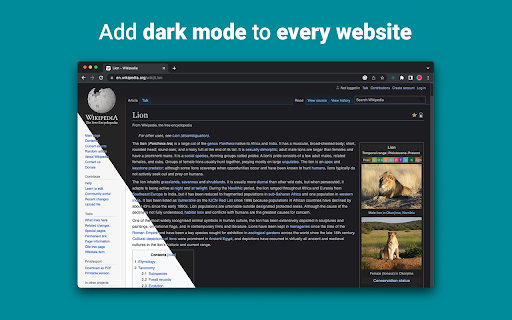
„Night Eye“ vám umožňuje povolit tmavý režim na téměř všech webových stránkách, čímž se zlepšuje čitelnost a snižuje se únava očí v prostředí se slabým osvětlením. Nabízí také možnosti přizpůsobení, jako je nastavení jasu, kontrastu a sytosti, a také filtr modrého světla pro ochranu očí. Navíc díky možnosti ovládat vestavěná temná témata na podporovaných webech budete mít naprostou kontrolu nad svým online zážitkem.
„Night Eye“, kterému důvěřuje více než 1 000 000 uživatelů ve všech hlavních prohlížečích, je tou správnou volbou pro vaše oči. Inteligentní konverze, žádné reklamy, žádné dolování dat, užitečná podpora!
Rozšíření aktualizujeme pravidelně na měsíční bázi za posledních 5 let a plánujeme to na velmi dlouhou dobu dopředu.
Pokud má web vestavěný tmavý motiv, můžete jej ovládat přímo z "Night Eye" a pokud ne (jako Gmail, Google Docs, Office Online, Github a miliony dalších), "Night Eye" převede barvy aby vám poskytl plynulý a konzistentní tmavý režim.
PRO TY, KTEŘÍ SE STARAJÍ O SOUKROMÍ
Chrome vás upozorní, že rozšíření může číst a měnit všechna vaše data na webech, které navštěvujete.
Zde je celý příběh:
Toto rozšíření analyzuje barvy každé webové stránky a převádí je, aby vám poskytlo hladký a konzistentní tmavý režim. Neexistuje žádný jiný způsob, jak může rozšíření převádět barvy bez oprávnění k nim přistupovat.
Nikdy však neshromažďujeme žádné vaše údaje. Náš obchodní model spoléhá na předplatné, nikoli na ukládání a prodej vašich dat. V neposlední řadě jsme také uživatelé internetu a nechceme být zlí.
Od verze Chrome 86 jsou nyní všechna nová rozšíření skryta v nabídce „rozšíření“ vedle lišty URL. Chcete-li ikonu „Night Eye“ zobrazit, musíte ji připnout. Pro více podrobností se podívejte na screenshoty výše.
Naše rozšíření je plně kompatibilní s nejnovějším manifestem V3. Existují pouze určitá omezení.
Sledujte nás na Twitteru a držte krok s nejnovějšími zprávami o "Night Eye" a o tom, co plánujeme dopředu - https://twitter.com/nighteye_ext
—————————
CENOVÉ PLÁNY
"Night Eye" Lite je tady - zcela zdarma navždy verze "Night Eye".
Stručně řečeno - "Night Eye" Lite lze použít až na 5 webových stránkách. Například – Google.com, Gmail.com atd. Seznam těchto 5 webů můžete spravovat kdykoli. Žádné reklamy, žádné skryté věci – navždy zdarma.
Více podrobností naleznete zde - https://nighteye.app/lite-free-dark-mode-extension/
Než půjdete do Lite, rádi bychom vás pozvali k vyzkoušení „Night Eye“ Pro na 3 měsíce zdarma – bez kreditní karty, bez platby – jednoduše nainstalujte a vyzkoušejte.
Po uplynutí zkušební doby "Night Eye" Pro budete vyzváni k zaplacení, abyste ji mohli dále používat, nebo přejít na zcela bezplatnou verzi - "Night Eye" Lite.
Více podrobností o našich cenách - https://nighteye.app/how-to-start/
—————————
NĚKTERÉ VLASTNOSTI
➤ Integrace barevného schématu OS/prohlížeče – synchronizujte „Night Eye“ s tmavými motivy macOS/Windows
➤ Hluboká integrace s webovými stránkami, které mají vlastní vestavěná temná témata.
➤ Naplánujte zapnutí a vypnutí tmavého režimu
➤ Vlastní tmavý režim pro soubory PDF
➤ Export/import dat mezi vašimi prohlížeči
—————————
CHANGELOG
Snažíme se vám přinést nejlepší možný zážitek z tmavého režimu. V této aktualizaci jsme provedli několik vylepšení a přidali jednu hlavní funkci – integraci barevného schématu OS/prohlížeče.
Všechny naše aktualizace a to, co děláme, můžete sledovat na https://nighteye.app/changelog
—————————
DOSTUPNÉ REŽIMY
Rozšíření umožňuje rychle přepínat tři dostupné režimy
➤ Tmavý – Přejděte do úplného tmavého režimu. Všechny barvy, malé obrázky a ikony budou převedeny, aby vám poskytly co nejhladší tmavý zážitek.
➤ Filtrováno – Barvy webových stránek se nezmění, ale stále můžete upravit jas, kontrast, teplo a další.
➤ Normální – Vraťte se k běžnému procházení.
—————————
MOŽNOSTI PŘIZPŮSOBENÍ
Jakékoli úpravy, které provedete, jako je úprava úrovně kontrastu, filtr modrého světla atd., lze použít na jednu webovou stránku nebo globálně.
➤ Obrázky – „Night Eye“ analyzuje a převádí pouze malé obrázky a ikony na webu, aby vám poskytl ještě hladší zážitek. Příspěvky na Facebooku a další významná média se nepřevádějí.
➤ Jas / Sytost / Kontrast – Upravte jas, kontrast a sytost tak, aby odpovídaly doporučeným zdravým úrovním a chránily vaše oči. Výchozí nastavení pro každý z nich je 50 %, ale každý si můžete přizpůsobit na preferované úrovně
➤ Modré světlo – Postarejte se o své oči odstraněním modrého světla vycházejícího z obrazovky. Vřele doporučujeme zejména při procházení pozdě v noci. Jednoduše posuňte na požadovanou úroveň tepla.
➤ Ztlumit – Mimořádně užitečné, pokud pracujete v tmavém prostoru/místnosti a obrazovka je jediným zdrojem světla v místnosti. Výchozí nastavení je 50 %, ale můžete si jej upravit podle libosti.
—————————
VŽDY DOSTUPNÁ PODPORA
Vestavěný systém podpory – jsme hrdí na to, že jsme k dispozici, abychom vám poskytli spolehlivou podporu a pomohli vám s jakýmikoli problémy nebo problémy, se kterými se můžete setkat s rozšířením.
—————————
K DISPOZICI NA
„Night Eye“ v současné době funguje na prohlížečích Google Chrome, Mozilla Firefox, Safari, Microsoft Edge, Opera, Vivaldi, Brave, Yandex a všech dalších prohlížečích založených na Chromium.
—————————
ZÁLEŽÍ NÁM NA SOUKROMÍ
Místo toho, abychom vás jednoduše odkázali na naše zásady ochrany osobních údajů. Rádi bychom se zde tomuto tématu věnovali co nejsrozumitelnějším jazykem.
Při používání rozšíření NESMÍME shromažďovat anonymní údaje o používání pomocí standardní analýzy třetí strany (Google Analytics).
Ukládáme pouze uložená nastavení pro každou navštívenou webovou stránku každého uživatele „Night Eye“ v jejich localStorage (váš počítač). Týká se to všech úprav provedených uživatelem za účelem zlepšení jeho zážitku z prohlížení pomocí funkce „Night Eye“. K dispozici je 7 typů úprav: Barvy, Obrázky, Jas, Kontrast, Sytost, Studená/Teplá a Ztlumená.
Jinými slovy – ukládáme pouze veškeré vizuální úpravy, které jste provedli při procházení internetu. Neukládáme je na naše servery, ale ve vašem localStorage (váš počítač).
—————————
Nezapomeňte dát like a sledovat nás:
Facebook - https://facebook.com/night.eye.extension/
Twitter – https://twitter.com/nighteye_ext
Pinterest – https://pinterest.com/nighteyeextension/
Latest reviews
- Pixelbass
- Genuinely the best solution to custom dark mode settings on a per-site basis that I've found online so far—especially for Google Sheets with it's horrendously bright white glare. I've been using it for several months now, and they're also pretty generous with the trial & extensions to your trial, after which I'll certainly be subscribing to continue availing of its features.
- Mohamed Khaled
- Really don't have any complaints. One of the better dark mode extension on Chrome.
- Deshan Sameera
- good extenstion
- Dean Otsyeno
- I have tried several extensions for enabling dark mode, but Night Eye is the best. The way it is easy to enable and disable but the click of a button, and how it makes every page still viewable is just the best.
- Prismo PC
- My eyes are much less tired than before.
- Chatree Ithipathachai
- It's cool, I guess.
- captnsaveahoee
- Really don't have any complaints. One of the better dark mode extension on Chrome.
- César
- A great tool, really like it!!!!
- Mazen Ayman
- It's the best. Just get it and don't waste your time looking for alternatives. It doesn't lag and does the job
- Onibut sussy
- The best app I've ever seen for automatic transformation of any website to dark mode, the instant dark mode conversion and their unique dark mode setup for each website, is way beyond description. I would highly recommend this program for anyone. Thank you!
- Ashley
- The app is amazing, I can finally have dark mode google docs without any issues!
- Sandeep Yadav
- this extension is wonderful, it helps me while using laptop at night and at dark places. it reduces the contrast automatically and protects eyes .I really liked this and I would recommend people who wants an extension for night reading
- Gary Finn
- ""Offers in-app purchases". What this means is after a month, you pay! Not just once, a subscription. Just find a free dark mode.
- J Widdicombe
- Great app for anyone who prefers browsing in dark mode! Dark Mode - Night Eye does a solid job of applying a smooth, consistent dark theme across websites, even ones that don’t support it natively. It’s easy to use, works reliably, and really helps reduce eye strain during late-night sessions. Definitely worth installing if you spend a lot of time on your phone or tablet
- GM Zeyad Gouda
- Really smooth experience overall — no lag, no glitches, nothing uncomfortable. The dark mode colors are well-balanced and easy on the eyes. Does exactly what it promises without getting in the way. Recommended!
- Devansh Lath
- Excellent
- Cuenta Lan
- great app, love it
- Ryan Pakieser
- This is one of the better night mode extensions out there. It is relatively smooth transitioning between various websites and has an intuitive extension plug in.
- Evan Christopher Tschaja
- Pay for dark mode? Are you kidding me?
- Aleksa Markovic
- Amazing App
- Ibrahim walid
- Great extension, very useful in most apps.
- Jaydin Wilson
- I have been using this extension for my work computer and it works amazingly. Especially being up early in the morning and looking at a screen all day. Would definitely recommend. Great work Night Eye!
- Julian Marthinsen
- Been using this extension on my home pc and work laptop since 2019. Couldn't be more happier, some small bugs on a few sites but easily solved with tweaking settings
- Vijay
- the screen gets slower and sometimes the font is also turned black with the background, but overall its good
- Samir Alakbarov
- it is not free. Just gives one month trial. I didnt know about this in advance
- Sara Milosavljević
- Great extension, flexible for modifications
- Scott Smith
- This extension has saved me a lot of trouble. After 7 eye surgeries, I really needed the functionality that this extension has to offer. Thanks, Night Eye!!! Scott
- Lee Lee
- Good Extension very usefull, highly recommended :)
- Alan WW
- good
- Wrex
- Great extension.
- Ong Jin Yong Jace
- Night eye the best chrome dark mode extension after trying out multiple others, highly recommended
- Lukas Hohl
- Good Extension very usfull ^^
- Илья Шмелёв
- Easy solution for all my tabs in the Chrome browser to be in dark mode. I like this extension cause it works for different types of web sites I browse. I cannot remember an examlpe of a site which is not in dark mode with this extension.
- Light theKnight
- It's not free for long.
- Chris
- This is a much more clean approach to Dark/Light mode than any tool I have used so far!
- Zango
- it's free to use and works like wonder. highly recommended :)
- En Force
- Honestly this extension is amazing because it just works better then others who hog up the system resources. Would recommend it surely.
- WildBear
- The extensions works on websites that other extensions did not. It been helping me with eye strain while reading at night.
- RoyalRain
- I have been using this for over a year, and it has made browsing the web so easy on my eyes. It only inverts certain parts of a page rather than the entire thing so you get dark mode without things looking weird all over the place. Highly recommend.
- BreakFreeFromDesk
- Love the app. so helpful!
- Michael GC
- This extension rocks! big help!
- don cassi
- This extension works on more sites than the other extension I used. Recommended if you have sites where other dark readers fail.
- Ogeid Aevir
- Awesome extension! Helps my eyes at night and it is very clear and smooth. I love it! Recommended!
- Alex P
- Great extension. It does exactly what you expect/ Clean, comfortable dark mode across every site. I especially like that it doesn’t mess with websites that already have their own dark theme. Everything just works automatically and feels well thought out. I’m usually pretty picky with tools like this, but honestly I don’t even have suggestions for improvement. Thanks to the team for a really solid product!
- Raeesa Khan
- As someone with astigmatism this has really helped my eyes feel at ease when looking at dark screens for extended hours
- Jakson Pedreira
- Night Eye is one of the best dark mode extensions I’ve used. It works smoothly across almost all websites and the color conversion looks natural instead of just inverting colors. It significantly reduces eye strain, especially when browsing at night. The customization options like brightness, contrast, and blue light filtering make the experience even better. Highly recommended for anyone who spends many hours in front of the screen.
- Carol Cumberland
- PERFECTION! Thank you for this! I get chronic migraines and the bright screens are torture. This is a huge help!
- Jacob Mira
- Great Dark Mode Extension – Works Smoothly Night Eye is one of the best dark mode extensions I’ve tried. It automatically converts bright websites into a comfortable dark theme, which makes browsing much easier on the eyes, especially at night. The extension is simple to install and works instantly on most websites without breaking the layout. I also like that it allows customization like brightness, contrast, and blue light filtering. It runs smoothly in the background and doesn’t slow down the browser. Overall, it's a great tool for anyone who spends long hours browsing and wants to reduce eye strain. Highly recommended for daily use.
- Wayne Anderson
- I am in front of the computer for hours every day. I thought my eyes were going bad. I stumbled across Night Eye and it was the next best thing to sliced bread!! I love this product!!!!!
- Oof Iff
- no better than this!